Give the layout a clear focal point
A candy-themed decoration can become visually busy before you have used many pieces. Start by choosing the motif you want someone to notice first: a bear, a cherry grouping or a cluster of sugar-style shapes. Place that focal group on the empty base and check it from a normal viewing distance. Then add supporting pieces in stages. You do not need to use every design in a mixed assortment to make the theme recognizable.
Choose the base before buying the whole range. A display plaque, a box lid and a phone-case blank have different handling requirements and different usable areas. Sketch the outline at actual size, including edges, hinges, openings and raised features. If the base is used with another object, check the combined fit during the trial rather than relying on a flat outline alone.
Compare three different candy-style roles
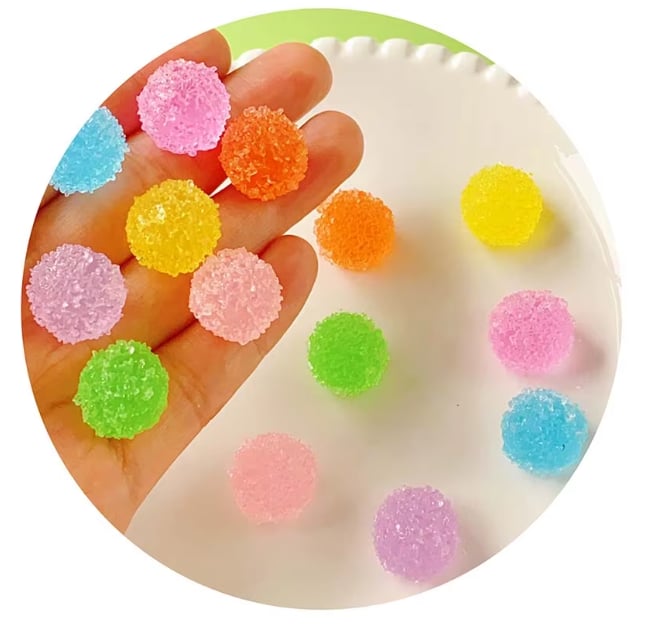
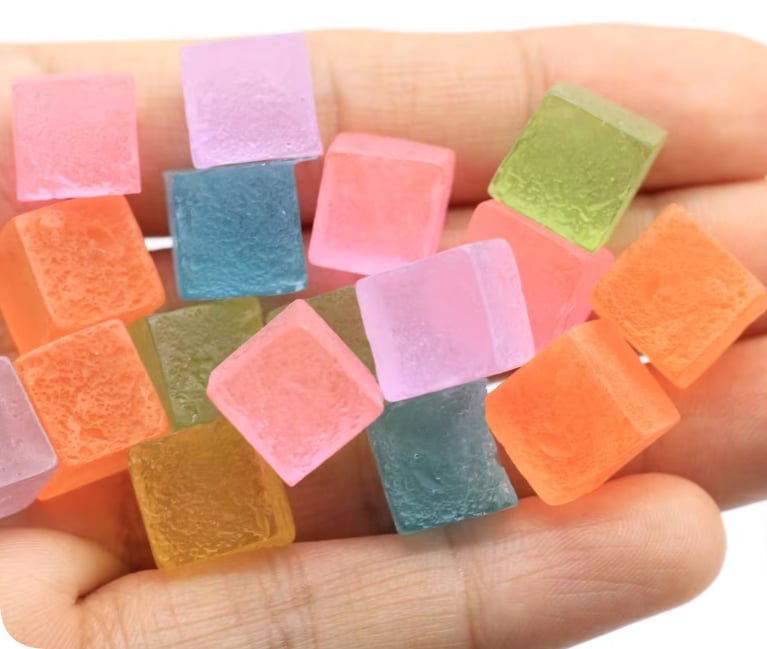
RW340 sugar candy resin flatback cabochons provide a textured candy-style motif. RW1021 transparent sugar-cube cabochons offer a different visual effect, while RW002852 bear and cherry flatback charms can introduce recognizable character and fruit accents. Compare the individual listings and samples before deciding which one should lead. These are separate catalog products; their shared theme does not establish identical dimensions, a matching finish or a ready-made set.
For an initial composition, choose one main product and one supporting product. Add a third only if it solves a visible gap in the design. A cube-like shape can create a quiet area beside a more detailed focal charm, while a bear or cherry can make the theme easier to read. Keep the chosen SKU, image and variant together in your project notes so a later order refers to the same component.
Use the actual base as a spacing template
Dry-fit with physical samples whenever possible. Keep the perimeter comfortable to hold and check that no component overhangs an edge where it could catch during use. For a phone-case project, leave camera, flash, buttons, speaker openings and connector access clear. Check compatibility with your own device and accessories. A decorative layout is not a claim of device protection, impact performance or compatibility with charging equipment.
Move the arrangement through the positions it will encounter in normal use. Look at a box lid when it is open as well as closed. Check a plaque from its display angle. For a handled item, see where fingers rest and whether a raised charm sits in that space. If the trial feels crowded, remove a supporting piece before reaching for smaller fillers. Open space can be a deliberate part of the design.
Choose color from samples rather than names
Terms such as pastel, candy pink and clear describe a direction, not an exact color match. Begin with the focal component you have in hand and choose a background that lets its edges remain visible. Repeat a supporting color in a second area to connect the composition. Transparent and translucent pieces can look different over a dark base, a light base or an adhesive layer, so inspect the actual combination before fixing it.
Adobe's color-wheel tool can help compare analogous and complementary palette directions. Use those options to explore alternatives without treating a screen color as a supplier's shade specification. Save the palette beside a photograph of your physical trial. If consistency across several finished pieces matters, request confirmation of the available colors and assortment rather than assuming that a mixed bag will give you the same combination each time.
Palette planning reference: Adobe Color wheel.
Treat bonding as its own sample test
Confirm the back shape, base material and intended adhesive before making the final piece. A product described as a flatback still needs to sit correctly on your particular base. A rigid cabochon on a flexible blank creates a different assembly from the same piece on a rigid display board. Do not infer a bonding method from a styled photograph or assume that a decorative cream medium will behave like every other adhesive.
Aleene's FAQ ties glue choice to the surfaces being joined and identifies surface contamination as one reason a bond can fail. Read the instructions for the exact formula you select and follow its preparation, application and curing guidance. Test an unobtrusive area or spare base with a sample charm. Check for staining, clouding, movement and unwanted marks after the stated cure period. There is no universal curing time or glue recommendation for all resin finishes and case materials.
Surface-selection reference: Aleene’s manufacturer FAQ, Glues & Adhesives. Follow the instructions for your selected product.
Save the recipe before making a batch
Photograph the completed dry fit, then make a simple placement record: base reference, component SKU, selected design, quantity used and any spacing you want to repeat. Keep adhesive details and the results of your trial with that record. Assemble one complete sample before preparing multiple decorated blanks. This gives you a chance to discover an awkward edge or a change in appearance before repeating it across the whole project.
For kits, distinguish the components included from tools, adhesive and instructions that must be supplied separately. State when the arrangement can vary, and do not illustrate a fixed assortment unless you can provide it. Keep the food-like theme clearly decorative: these components are not edible and should be stored away from food. If you are choosing products for resale or an activity, confirm audience suitability and destination requirements separately. Send Qula Craft your trial image, SKU list, required quantities and preferred packing when you are ready to discuss an order.
Build your own component shortlist
Send your project image, selected product codes, quantities and packing preference so we can discuss the available options.